
Most search engines can’t see the Tor network at all. Google doesn’t index .onion sites, and neither does Bing. The Ahmia search engine dark web tool was built specifically to fill that gap, and it does the job with a filtering policy that most other dark web search tools don’t bother with.
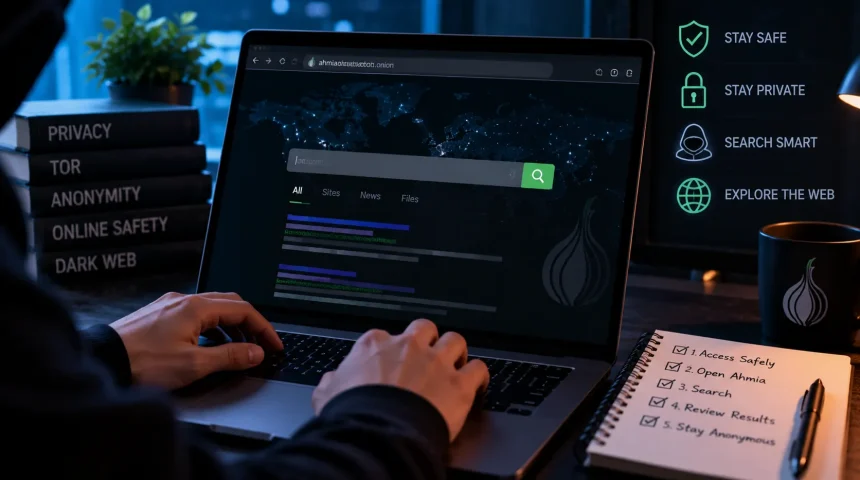
To use Ahmia, open Tor Browser, go to Ahmia’s onion address (or ahmia.fi in any regular browser for a limited, non-anonymous version), type a specific search term, and review the results before clicking anything. It’s legal to use; it’s genuinely one of the safer entry points into Tor search, but “safer” doesn’t mean risk-free, and we’ll get into exactly where those risks actually are.
Here’s what Ahmia is, how it actually works, how to set it up properly, and what to know before you search.
What is Ahmia?
Ahmia is a search engine built specifically for Tor’s onion services, the .onion sites you can’t reach with a normal browser. Juha Nurmi, a Finnish security researcher, built it in 2014 during Google Summer of Code, with support from the Tor Project itself. It’s been maintained ever since, which is longer than most tools in this space stick around.
Technically, Ahmia runs on an open-source stack: a Scrapy-based crawler finds sites, Elasticsearch indexes them, and a Django-built website handles search. All three components are public on GitHub, so anyone can check exactly how it filters and ranks results instead of just taking the developer’s word for it.
Is Ahmia illegal?
No. Ahmia itself is a legal tool, the same way a library catalog is legal even though a library also contains books on subjects you might disagree with. Using Ahmia to search doesn’t break any law in the US, UK, EU, or most other countries. Tor and Tor-based tools are legal to use in the overwhelming majority of places (a handful of authoritarian governments restrict or monitor Tor access, so it’s worth knowing your local laws if you’re outside a typical Western country).
Here’s the important distinction, though: the search engine being legal doesn’t mean everything it might surface is legal to access. Ahmia actively filters out the worst categories of content before they even enter its index (more on that below). Still, no filter is perfect, and what you choose to click and interact with afterward is on you, not the search tool.
Is Ahmia safe to use?
Yes, more than most alternatives in this specific category, but “safe” needs two separate answers here, because Ahmia the tool and the sites it links to aren’t the same thing.
Is the Ahmia Search Engine Itself Safe?
Yes. It doesn’t log your searches, doesn’t use tracking cookies, and its entire codebase is open source and auditable. Since 2023, Ahmia expanded its filtering policy to block all sexually related search terms, not just explicit abuse material, specifically because of how much of that kind of search activity was happening on Tor. That’s a genuinely unusual level of active moderation for a dark web search tool. Most competitors don’t filter anything.
Are the Sites Ahmia Links to Safe?
Not automatically. Ahmia filters its own index before you ever see it, but it doesn’t vouch for every site that passes the filter, and it can’t stop a legitimate-looking .onion site from being a phishing page or a scam. Treat every result the way you’d treat a link from a stranger: useful information, zero built-in trust.
One more safety distinction worth knowing: the clearnet version at ahmia.fi is convenient, but it doesn’t hide your IP address the way the .onion version does, because you’re not routing through Tor. If anonymity actually matters for what you’re doing, use the .onion address in Tor Browser, not the regular website.
How to Use Ahmia: Step by Step
Step 1: Download Tor Browser (if you want full access)
You can browse Ahmia’s clearnet site without Tor, but to actually open any .onion result, you need Tor Browser. Get it only from the official source at torproject.org, never a third-party download site, since fake Tor installers are a real and common malware vector.
Step 2: Find the Ahmia Search Engine Onion Link
Ahmia’s official .onion address is: juhanurmihxlp77nkq76byazcldy2hlmovfu2epvl5ankdibsot4csyd.onion.
A quick but important safety habit: get any .onion address, including this one, from a source you trust, Ahmia’s own site, the Tor Project, or a reputable article like this one, rather than from a random link list, since spoofed lookalike addresses are a common scam on Tor.
Step 3: Open Ahmia
Paste the onion link into Tor Browser’s address bar for an anonymous search, or go to ahmia.fi in a regular browser for a quick, non-anonymous search. Either way, the search interface looks and works like any normal search engine. No special commands needed.
Step 4: Search With Specific Terms
Vague single-word searches return weaker, noisier results on Ahmia than on Google, simply because the index is smaller and more curated. A specific phrase gets you much further than a single broad word.
Step 5: Evaluate Before You Click
Read the title and description Ahmia shows for each result before opening anything. If something looks off, unrelated to your search, or like it’s trying too hard to sound legitimate, skip it. This one habit prevents most of the bad outcomes people run into on Tor.
How does Ahmia work?
Ahmia’s crawler continuously discovers onion services and checks each one against a maintained blacklist before it’s allowed into the search index. Sites distributing child sexual abuse material or known malware get excluded outright, and as mentioned above, all sexually related search terms are now blocked as well. What passes that filter gets indexed by Elasticsearch and ranked using a mix of relevance, how recently the page was crawled, and general popularity signals.
This filtering step is really the whole reason Ahmia exists as a separate product rather than just another unfiltered crawler. The trade-off is a smaller index than tools like Torch or Haystack, which don’t filter anything. Ahmia’s operators have been explicit that this is a deliberate choice, not a limitation they’re trying to hide.
What can I search in Ahmia?
Ahmia is genuinely useful for a narrower, more legitimate set of tasks than the “dark web search engine” label makes it sound:
- Journalism and whistleblower platforms: Many outlets, including major news organizations, run a Tor-hidden version of their tip line specifically for anonymous sources.
- Privacy and security tools: Onion mirrors of privacy-respecting services, secure messaging platforms, and research resources.
- OSINT and breach research: Security professionals commonly search their own company name or leaked credentials on Ahmia to check for exposure, as part of legitimate threat monitoring.
- Academic and policy research: Studying how the Tor ecosystem actually functions, rather than relying on secondhand claims about it.
What you generally won’t find, because Ahmia actively filters it, are illegal marketplaces, exploitation content, or malware distribution sites, which is exactly the point of using a filtered search engine instead of an unfiltered one.
What Does Ahmia Do That Other Dark Web Search Engines Don’t?
The short version: it says no to things other tools index without question. Torch, Haystak, and similar engines return whatever their crawlers find, with no review.
Ahmia checks first. That difference is why security researchers and journalists often recommend it as a default starting point over the alternatives. It’s the closest thing this space has to an editorially responsible option.
Ahmia vs. Other Dark Web Search Engines
| Engine | Filters harmful content? | Index size | Best for |
|---|---|---|---|
| Ahmia | Yes, actively | Smaller, curated | Research, journalism, safety-conscious searching |
| Torch | No | Larger | Broad, unfiltered crawling (higher risk) |
| Haystak | No (free tier limited) | Very large, partly paywalled | Depth searching, with real caution needed |
| Not Evil | Minimal | Large | Similar trade-offs to Torch |
If you’re only going to use one dark web search engine, Ahmia is the reasonable default for most non-technical use cases, precisely because of what it refuses to show you.
Safety Tips For Using Ahmia
- Use a VPN with Tor if you want an added layer between your ISP and the Tor network, though Tor’s own encryption already handles most of the anonymity work.
- Never enter personal information: Real name, email, passwords, payment details- on any .onion site unless you fully trust and have verified who runs it.
- Don’t download files from unfamiliar .onion sources. This is one of the most common ways people get malware.
- Keep Tor Browser updated. Security patches close real, known vulnerabilities.
- Get onion addresses from trusted sources, not random forum posts or link lists, since impersonation and phishing clones of popular sites are common.
Frequently Asked Questions
How does Ahmia work?
It continuously crawls Tor onion services, checks each one against a blacklist that excludes abuse material and malware before indexing, then ranks what’s left by relevance and freshness using an open-source Elasticsearch-based system.
What can I search in Ahmia?
Legitimate onion services: journalism and whistleblower platforms, privacy and security tools, research resources, and OSINT work like checking whether your own data has leaked. Illegal marketplaces and exploitation content are filtered out by design.
What does Ahmia do?
It’s a search engine that indexes and filters Tor’s onion services, so you can find legitimate .onion sites without wading through an unfiltered, unmoderated list the way you would with most other dark web search tools.
The Bottom Line
Ahmia isn’t a shortcut into anything illegal, and it isn’t trying to be. It’s a genuinely useful, actively filtered search tool for the legitimate corners of Tor, journalism, privacy research, and security work, built and maintained by someone who’s stuck with it for over a decade. Use the real onion address, search specifically, verify before you click, and it does exactly what it says.