The dark web is one of the various layers of the internet. It contains content that our traditional search engines like Google and Bing can not index. It is famous for illegal and immoral activities. It also has a legitimate side — whistleblowers, journalists and people living under censorship rely on it. But how do we get there? How do we access the dark web?
Using a mobile might seem complex, especially for iOS and Android users. But the good news is that it is possible to access it with a phone. With special software like Tor or the Onion browser, anyone can access the hidden part of the internet with just their mobile phone.
In this article, we will walk you through the best apps to access the dark web with iOS and Android devices. The aim is to provide you with the apps to access the dark net via smartphone. We’ll also cover how to set up these tools.
What is the Dark Web?
The dark web is a part of the internet that contains content not indexed by traditional search engines, such as Google and Bing. It is a part of the web that requires specialized tools, software, and configuration to access.

The dark web is known for illicit activities like illegal sales of drugs, weapons, and stolen data and information. It is also a perfect place for cybercriminals to have secure communication without fear of spying. While the platform connotes negative activities, it can also be used for legitimate uses like protecting free speech and accessing information in censored regions.
How To Access The Dark Web
Accessing the dark web is beyond using standard browsers and logging in. This means that the steps required to explore the dark web are not the same as when you access the surface web to surf the internet, or when you log in to your email to check your emails or scroll through social media.
Accessing the dark net is complex; you can’t browse your way to the dark net through traditional search engines like Google, Safari, and Bing. To access the dark web, you need a dark web app, which is designed specifically to grant access to the hidden part of the internet.
These dark web browser app uses the .onion extension, which is different from the standard URLs like .com, .org, and .net.
It is worth noting that accessing the Dark Web depends on whether you’re using Android or iOS, but don’t worry, it’s pretty straightforward. Just follow the step-by-step instructions we’ve provided below for each operating system.
Tor Browser: Dark Web Mobile Apps for Android
The Tor Browser was launched in 2008. It emerged from a research initiative to make the hidden part of the internet accessible to everyday users. It’s the go-to choice for anyone who wants to access the Dark Web with an Android device.
The Tor browser uses an onion routing system to hide your IP address, making it extremely difficult to trace the origin of a request. Here is a step-by-step guide on how to add/install the Tor Browser to your smartphone:
Step 1: Install a VPN
Before anything, it is encouraged that an individual who wants to access the dark web should add an extra layer of security by downloading a legitimate and trusted VPN. The reason is narrow but real: without a VPN, your Internet Service Provider can see that you are connected to the Tor network, and on some networks that alone gets flagged. A VPN hides the fact of Tor use from your ISP. It does not make Tor more anonymous — the Tor Project’s own position is that adding a VPN helps most people very little and can hurt if misconfigured. Use one if hiding Tor use matters to you; skip it if it doesn’t.
Some security software is best known for providing strong VPN encryption and dark web monitoring. To begin, go to the Google Play Store, download and install your chosen VPN software.
Step 2: Install the Tor Browser
To use the Tor Browser on your Android phone, you need to first set it up. Go to the Google Play Store and search for Tor Browser — but check the publisher rather than the name, because the name is what the fakes copy. The genuine listing is published by The Tor Project. Alternatively, download it directly from torproject.org or through the Guardian Project’s F-Droid repository.
Android users should also look at Orbot, from the same ecosystem. Tor Browser routes only its own traffic; Orbot creates a VPN profile that can route other apps through Tor as well.
Step 3: Connect To Tor
After successfully installing the software, proceed to connect. Follow the steps below to connect to Tor:
- Open the Tor Browser
- Locate the “Connect” button somewhere around the interface. Click on it
- After clicking, the browser will automatically connect to the Tor network. Note that the connection time varies depending on your device and internet.
- Once connected, you will be redirected to a page confirming your connection. Proceed to search and browse the Dark Web without issues.
Onion Browser: Dark Web Mobile Apps for iOS
Start with the thing nobody tells iPhone users: there is no official Tor Browser for iOS. Apple requires every browser on the platform to use its WebKit engine, so the Tor Project ships Tor Browser for Windows, macOS, Linux and Android only. That gap is exactly why the App Store fills up with fake “Tor” and “dark web” apps — and why anything claiming to be the official Tor Browser for iPhone is lying to you. If you want to see how that pattern plays out elsewhere, our scam alerts cover the same playbook applied to other brands.
Onion Browser is the app to use instead. It’s free and open source, developed independently by Mike Tigas, and endorsed by the Tor Project as the best route to Tor on iOS. It is genuinely good — but it is not equivalent to Tor Browser. Because WebKit is mandatory, it cannot offer anti-fingerprinting or first-party isolation, so a determined site has more to work with than it would on desktop. Below is how to set it up:
Step 1: Install a VPN
Before downloading or starting the Onion Browser, a reliable VPN is optional but useful for the same narrow reason as on Android — it hides the fact that you are using Tor from your ISP or from a network that blocks it.
Step 2: Download the Onion Browser
Go to the Apple App Store and download the Onion Browser. Check that the developer is listed as Mike Tigas, and avoid anything else claiming to be a Tor browser for iOS.
Step 3. Connect To Onion
Open the app and choose how to connect — Onion Browser can reach Tor on its own, or route through Orbot. Once you are connected, you can navigate the dark web on your iPhone.
Alternatives to Tor on Mobile
Tor is not the only anonymity network, though the mobile options are thinner than most lists suggest. Genuine alternatives you can run on a phone:
- I2P (Invisible Internet Project) — a separate anonymity network with its own Android app. Different design to Tor, and it cannot open .onion addresses.
- Hyphanet — formerly Freenet, renamed in 2023. Distributed storage rather than browsing.
Several tools commonly listed as “dark web browsers” are not, and it’s worth knowing why before you go looking for them. Mullvad Browser is a hardened Firefox built for use with a VPN — it does not connect to Tor and cannot reach .onion sites. Tails, Whonix and Qubes OS are operating systems, not browsers, and none of them run on a phone. Brave has a Tor private-window mode, but it is desktop-only, and Brave itself says it should not be relied on for strong anonymity.
How to Access the Dark Web Safely
Most activities on the dark web are illicit activities such as drug trafficking, sales of weapons, etc. In fact, criminal activity accounts for roughly 60% of dark web domains, as our dark web statistics for 2026 set out — a measure of what is hosted, not of what most users are doing. Another potential dark web threat is the possibility of getting your device infected with a virus, malware, or ransomware. Even dark web mobile app users are not safe. Therefore, to stay safe with security measures, here are some tips to follow.
1. Consider a VPN
Even though the dark web offers a high level of anonymity and secure communication, a VPN can help in one specific case: hiding your use of Tor from your ISP or from a network that blocks it. Here are the options worth considering for accessing the Dark Web.
- Proton VPN — has a free tier and publishes independent audits
- Mullvad — no account required, pays for regular external audits
- NordVPN
- ExpressVPN
Two notes on this list. A VPN here does one job: hiding Tor use from your ISP. It does not add anonymity on top of Tor, and connecting the wrong way round can remove some. And whichever you pick, you are moving your trust from your ISP to the VPN provider — so pick one that submits to independent audits and publishes the results.
2. Reduce Tracking and Limit Data Collection
You may be impacted by tracking and data collection on both the surface and dark webs. While it may not be possible to completely prevent it, it is essential to reduce the likelihood that your data will be collected, shared, or made public. Here are a few methods to protect your privacy: When using the Dark Web,
- Turn off location services on your device.
- Refuse to grant Dark Web browsers access to your contacts, settings, camera, microphone or other functions.
- Use a device that isn’t connected to any private messaging, social media, banking, or financial accounts.
- Unplug your gadget from any other smart devices in your house.
3. Configure Your Browser Settings
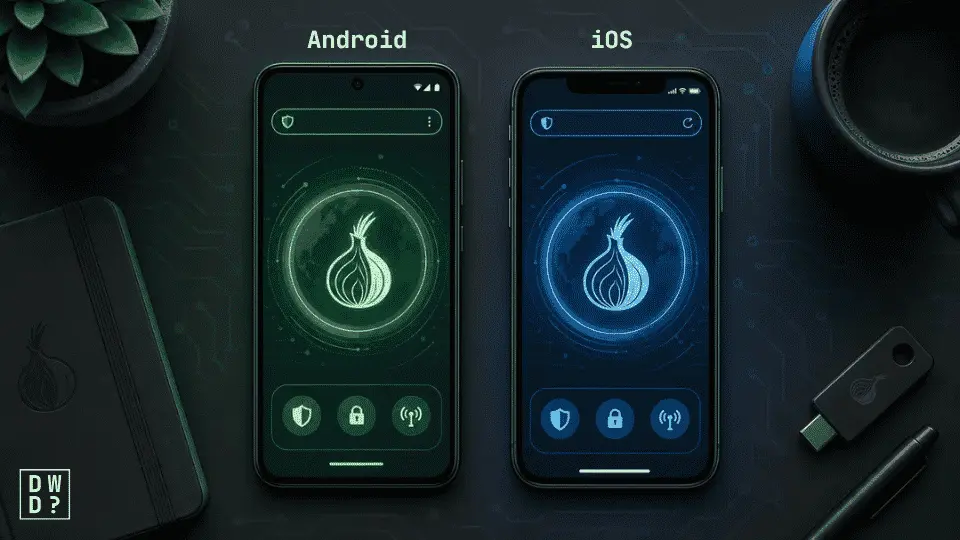
The dark web browsers offer various levels of security, allowing individuals to safely access the hidden web. By raising the security level in the Tor Browser or Onion Browser, you disable the features attackers most often abuse — JavaScript, some fonts, and certain media — which makes exploring the dark web considerably less susceptible to attack. “Safest” is the setting worth using; some pages will break, and that is the trade. To access your browser settings in both iOS and Android, follow the steps below:
- Launch the dark web Browser on your device
- Tap the three-dot at the edge of the screen
- Click on the Security Settings (Android) or the Default Security (iOS)
- Select your desired security level
4. Check if your IP address has been leaked
Even after configuring your browser and using a strong VPN, it is important to frequently check for data leaks to ensure that your personal information, such as your IP address, hasn’t been breached. You can use the WebRTC Leak Test tool, among many others, to verify whether your IP address has been leaked.
5. Do not reveal any personal information on the dark web
The dark web is considered to be a very dangerous environment. Considering this level of risk, revealing personal information such as your name, email, phone number, or financial information across the web is not a good move.
Besides, the whole point of using the dark web is to ensure anonymity, so why reveal personal details? Don’t use your real name, email address, handles, or any details that can be traced back to you.
We recommend using fake details and a disposable email when setting up your account on any Dark Web sites.
Remember, the darknet is filled with people with malicious intentions. They can use various tricks to fool you into providing your personal information, making you vulnerable to identity theft. Therefore, be very cautious of the kind of information you share across the internet, even if the sites appear legit, don’t trust them.
6. Install an Antivirus
Within the dark web, there are individuals with the sole purpose of carrying out malicious, illegal, and highly unsafe activities, which can pose significant threats to your digital privacy. These include installing viruses, malware, and ransomware into your device.
However, installing an antivirus program could protect you from any malicious software. In addition, most antivirus software offers extra features which serve as a safety measure against malicious downloads or websites. These include real-time scanning and threat detection against malicious activities.
It is worth noting that the cybercriminals can use various tricks to fool you into clicking on a link and installing malware or ransomware on your device. Hence, using antivirus software can help boost your online security. Among the best antivirus software, we recommend Norton Antivirus. Others include:
- Bitdefender Antivirus Plus
- Avast
- Total AV
- AVG
7. Beware of Malicious Content, Phishing & Malware
As noted above, a majority of dark web domains host illegal or disturbing material. Most of its users are scammers and cyber criminals trying to trick individuals, especially newbies, into downloading malware, giving up personal information, or sending money for fake goods or services.
Therefore, you must treat every dark website cautiously and carefully when scrolling through the dark web pages. If you’re a new dark web user, you shouldn’t be accessing every site aimlessly to avoid falling victim to cyber attacks.
8. Don’t download anything
This is the rule that catches people who followed every other rule. Documents, images, installers, PDFs — anything you save and then open outside the browser can reach your real IP address or carry a payload, and no amount of Tor protects a file you’ve already opened. If you must open something, do it on a device you don’t care about, disconnected.
9. Never log into a personal account over Tor
Signing into your real email, social media or bank account through Tor undoes the entire point of using it. The moment you authenticate, the session is tied to you, and any anonymity the network gave you is gone. Keep the two worlds separate — a device that has never touched your personal accounts is the cleanest way to do it.
Conclusion
Accessing the dark web on Android or iOS is possible. In fact many dark web users use smartphones because of the convenience it offers. With the Onion browser or the Tor browser, any mobile user can easily access the dark web. However, users must observe safety measures to ensure absolute protection against scammers, hackers, and cybercriminals.
Frequently Asked Questions (FAQ)
1. Is accessing dark web mobile apps as safe as desktop?
No. While the dark web mobile apps are considered more convenient, accessing the Tor Browser via desktop is safer. This is because smartphones are designed to constantly share information in the background, which can lead to data leaks and identity theft.
2. Do I need a VPN on mobile?
Using a VPN when accessing the dark web is not a core requirement. It helps in one specific case — hiding your Tor use from your ISP or from a network that blocks Tor. It does not add anonymity on top of what Tor already provides.
3. Is it legal to access the Dark Web?
Yes, it is legal in most countries — accessing the dark web is not itself a crime. However, the dark web has become the perfect environment for cybercriminals to carry out their illegal activities. Therefore, accessing the dark web is not illegal, but the activity carried out across the space can be. So, you should adhere to national laws to avoid engaging in illegal activities.
4. Is Tor free on iPhone?
Yes, Tor is available for free on iPhone through the Onion Browser (recommended by the Tor Project). This Dark Web browser allows you to connect to the Tor network on iOS devices, providing Tor’s privacy features without any cost. Onion Browser can connect to Tor on its own, or route through Orbot — the Tor Project and the app’s developer both recommend the Orbot route, since it closes some gaps in how iOS handles audio and video.
5. Can my ISP see that I am accessing the Dark Web?
Yes. Your Internet Service Provider can see that you are connected to the Tor network, though not what you do inside it. On some networks that alone is enough to get your traffic flagged. Using a VPN in conjunction with Tor can prevent your ISP from knowing that you’re using Tor at all.
6. Can I access the dark web without Tor?
Yes. While Tor is the most popular browser for accessing the dark web, it’s just one out of many dark web mobile apps. Among many others, we have I2P and Hyphanet. However, it is important to note that without one of these apps, no one can access the Dark Web, because they provide the connection needed to access .onion websites.