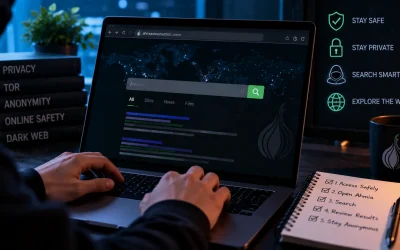
How to access the dark web: The internet is of three layers: the surface web, deep web and the dark web. However, numerous illicit activities, such as the sale of drugs and weapons, pornography, sale of stolen data or information, and more, are carried out on the dark web. This is because it differs from other layers by offering complete anonymity to its users.
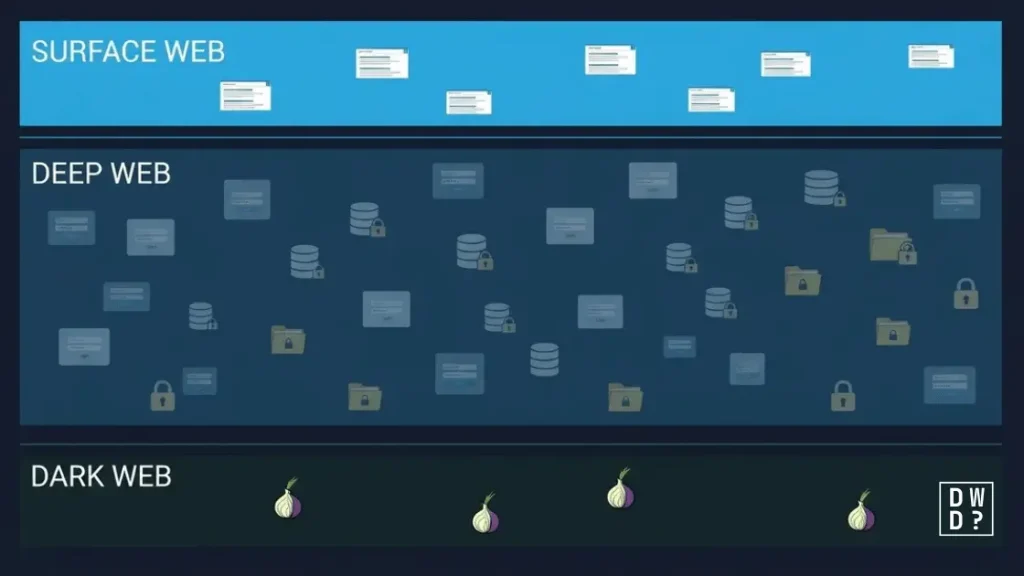
The surface web is described as the layer of the internet where contents are indexed by traditional search engines like Google and Bing and accessible with regular browsers. On the other hand, the deep web is the private layer of the internet that is not indexed, but accessible through typical browsers like Chrome and Firefox. But unlike these two, accessing the dark web is different.
Accessing the dark web requires specialised software or tools like the Tor network. The network uses the .onion URLs rather than the standard URLs like .com or .org. However, accessing the dark web comes with significant risks that many users may not be aware of. Hence, learning how to access the dark web safely is crucial for anyone who wants to use the dark web.
To address this, we, at DarkWebDecoded.com, have put together a detailed and comprehensive guide on how to safely access the dark web without facing common internet threats like malware installation and data theft. In this guide, you will learn all that is needed to know about accessing the dark web, from the kind of tools to use to the necessary safety approaches. This article covers everything. Without further delay, let’s get started!
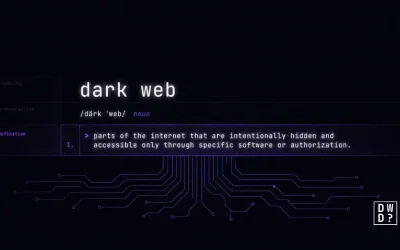
What Is The Dark Web?
The dark web is a layer of the internet that is beyond our everyday internet activities like reading blogs, news, watching or streaming movies, listening to songs online, login to private forums like bank accounts and social media handles, as well as making online purchases from ecommerce sites and surfing the internet.
The dark web is a hidden and encrypted part of the internet with contents that are not indexed nor accessed by regular softwares like Google, Yahoo or Bing. Rather, it requires special software like the TOR network to access. Tor itself began as a US Naval Research Laboratory project, not a criminal one — we trace that history in who created the dark web.
This hidden layer of the internet is famous for being the perfect space for illegal and illicit activities. It hosts thousands of darknet sites that use the .onion domains. The network allows users to communicate securely and offers complete anonymity during their engagement across the space. The high level of anonymity it offers is the major reason why cybercriminals have turned it into their den and safe space.
Well, the dark web is popular for illicit activities like drug trafficking, arms trafficking, and sale of stolen credentials like SSNs, phone numbers and emails. It, however, has its positive sides. By providing anonymity, the dark web can be used by Journalists, Whistleblowers, and Activists, to carry out legal online activities without attracting much attention or exposing their identity.
Surface Web Vs Deep Web Vs Dark Web
The internet is divided into three parts. Here’s an overview of how each layer differs from the others. And if you’ve seen the “iceberg” charts claiming five or eight hidden levels below the dark web, ignore them — we break down which layers are actually real.
| Characteristics / Attributes | Surface Web | Deep Web | Dark Web |
|---|---|---|---|
| Legitimacy | Legal | Legal | Legal in most countries |
| Contents | Indexed and accessible by Google, Bing or any other typical search engines | Not indexed and private | Not indexed and encrypted |
| Layers size | A small fraction of total internet content | The large majority of internet content | A very small fraction; Tor Metrics counts on the order of hundreds of thousands of .onion addresses at any time |
| Accessibility | Accessible via regular browsers like Chrome, Firefox, etc | Accessible via regular browsers but requires verification, such as a password and username, to access. | Can only be accessed through special software like Tor network. |
| Application | Day-to-day internet use, like surfing the internet and streaming videos | Academic institutions, subscription-based, internal network used by corporations | Secured communication and anonymity |
| Ease of use | Very easy | Easy | Not easily accessible |
What Are The Risks Associated With Accessing The Dark Web?
Accessing the dark web comes with lots of risk, especially if you are accessing it for the first time. Below are some of the potential risks associated with visiting the dark web:
Malware Installation: Many people who visit the dark web carelessly end up with malware installation on their devices. The layer is full of illicit activities, hence there are lots of malicious actors waiting to trick people into clicking malicious links or downloading malicious files on the dark web. These files or viruses have the potential to corrupt your device or steal sensitive information. Building that malware has also gotten cheaper — see our report on VoidLink, 88,000 lines written by one developer and an AI agent.
Visits to extreme content: Unlike the surface web, the dark web isn’t a place where you can just surf around safely. It is full of illicit content that may be too extreme to view or watch. There are cases where users come across highly unsuitable stuff, including abusive videos, child sexual assault, and radical terrorism forums or sites. Plenty of what circulates about this is exaggerated, though — red rooms are a myth, and most viral dark web videos are hoaxes. Unless for a valid reason, it is highly not recommended to visit the dark web.
Falling for Scams: Fraud is widespread, so treat any counterparty as untrusted. Those who visit the space are not to trust anybody because most people there are attempting to exploit you in one way or another.
Illegal marketplaces: There are no restrictions on the dark web; there exist lots of illegal marketplaces over legit ones. And no guarantee that purchased products are good or will be delivered.
Government monitoring: Since most of the websites on the dark web are basically for illicit activities, authorities monitor and check the day-to-day activities on the dark web. This is to ensure that the rate of cybercriminal activities across multiple platforms and forums is detected and taken down. So, if you frequently visit the dark web, you can face the risk of being targeted by the government as a criminal or an ally to them.
Tools & Services Needed To Access The Dark Web?
Accessing the dark web isn’t as straightforward as accessing the surface web or the deep web. Even though with the right knowledge and exposure, it seems easy to access, there are tools required to access it, especially if safety is one of the concerns. Below are some of the tools that will be needed in order to access the dark web safely:
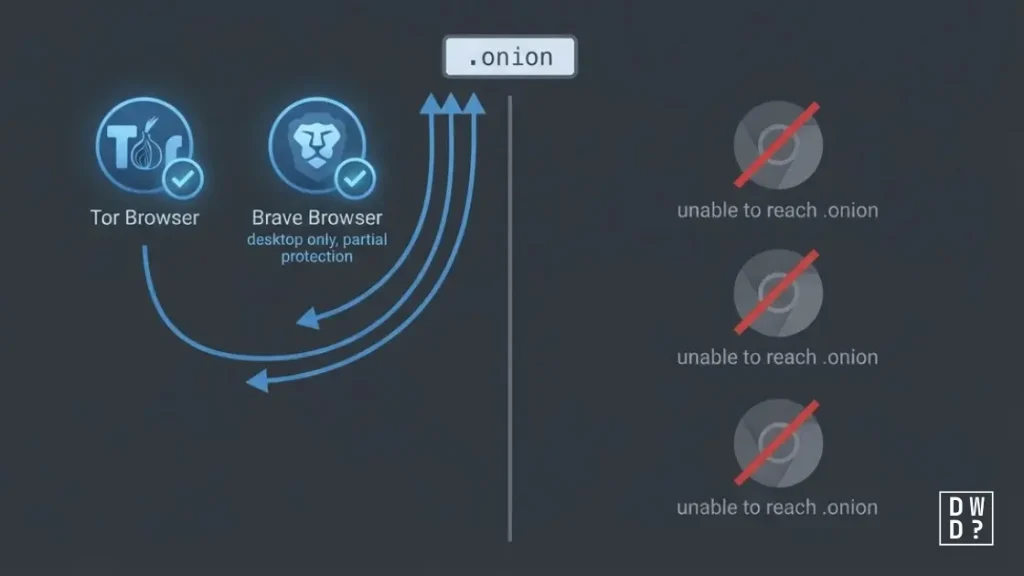
Web Browsers: The first tool needed to access the dark web is a web browser. However, we are not talking about our typical web browsers like Chrome or Firefox. We are referring to browsers that are designed as a compatible tool to access the dark web. Among the several dark web browsers is the Tor browser, which is one of the most popular software for accessing the dark web. Besides Tor Browser, the only mainstream browser with built-in Tor support is Brave, whose desktop-only “Private window with Tor” routes traffic through Tor but omits most of Tor Browser’s anti-fingerprinting protections. Browsers such as Comodo Dragon, Epic and SRWare Iron are privacy-focused Chromium forks and cannot access .onion sites at all.
Search Engines: Also, because standard search engines like Google do not index .onion content, you need a search engine built for onion services. Ahmia, Torch and Haystak are the main ones still operating. DuckDuckGo runs its own onion address and is the default engine in Tor Browser, but it searches the surface web rather than .onion sites.
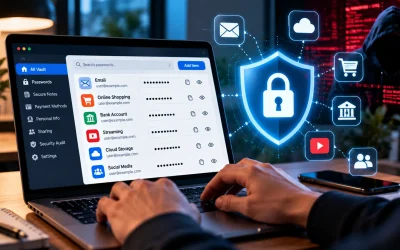
VPN Software: To stay safe while accessing the dark web, it is essential to use a VPN. These tools will add an extra layer of security when accessing the web. It hides your IP address from the Tor entry node and encrypts your traffic over a single hop to the VPN server before it enters the Tor network. A VPN does not make you invisible to law enforcement: your provider still sees your real IP address and the fact that you connected to Tor, and can be compelled by subpoena or court order to hand over whatever it retains. Some of the best VPNs to access the dark web include NordVPN, ExpressVPN, and many others.
Dark Web Sites: Unlike the surface web, the dark web isn’t a space where you can surf or explore aimlessly. To access the dark web, it is necessary to know dark web sites. But unlike the regular domains, such as .com. .net, .org, these sites use special domains that combine a string of letters and numbers and end with .onion.
How To Access The Dark Web: Step-By-Step Guide
While it is not recommended nor a good practice to visit the dark web, there are still valid reasons why people can access it. If it becomes a must to enter the dark web, there are several cautions and steps to follow in order to ensure your safety within the space. To learn how to access the dark web safely, follow the step-by-step guide below:
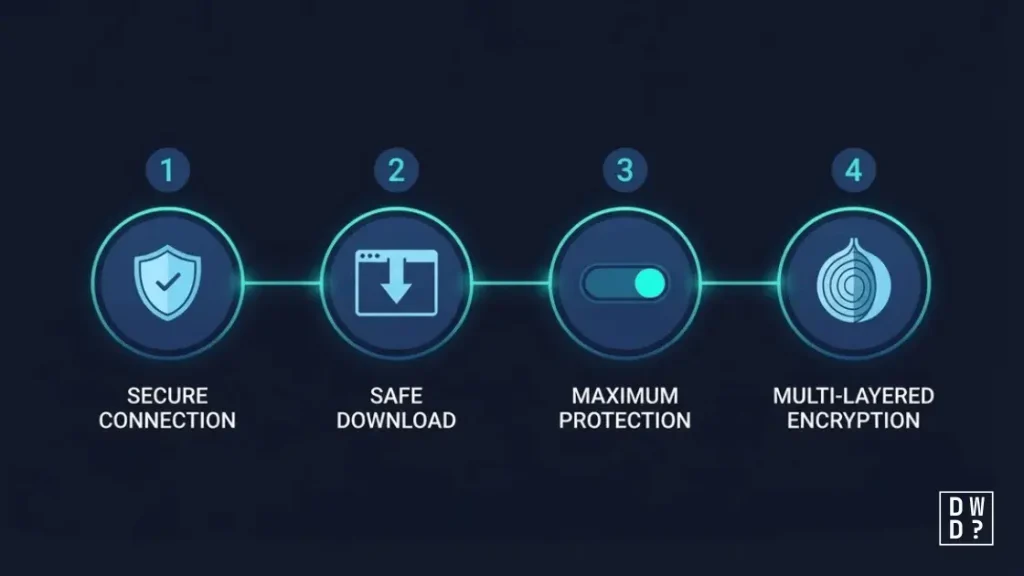
Step 1: Obtain a reliable VPN
The first step toward accessing the dark web safely is to download and install a VPN that is trustworthy and reliable. This offers an extra layer of privacy to users. A good VPN will encrypt your traffic and hide your internet activity even before it reaches the Tor network.
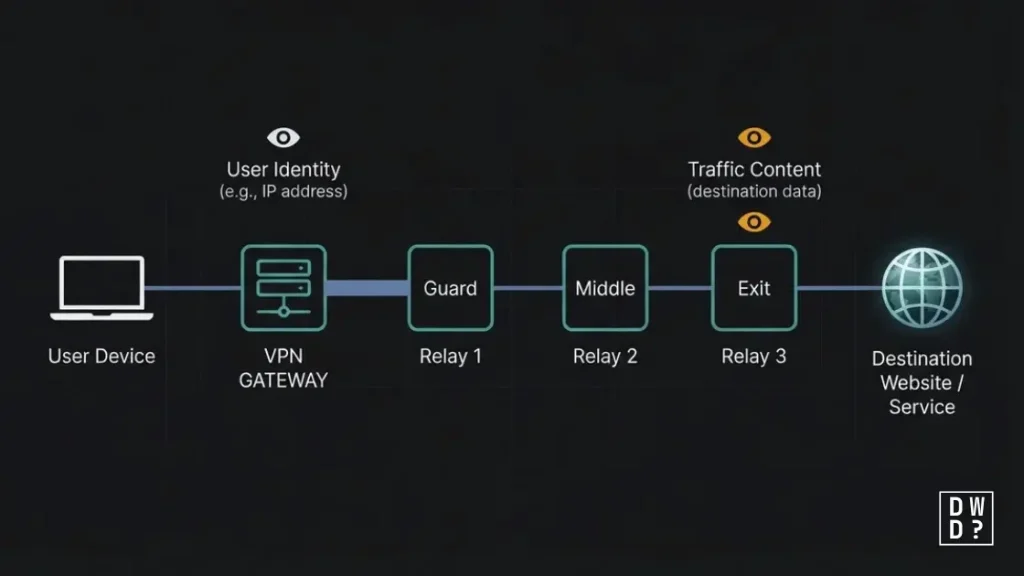
A VPN prevents your Internet Service Provider from seeing that you are connecting to Tor, though it can still see that you are using a VPN. Although using a VPN is not a core requirement to access the dark web, it is an essential strategy towards protecting your personal information, device, and identity on the dark web. Note that the Tor Project itself does not recommend adding a VPN unless you are an advanced user who can configure both without compromising Tor’s protections — a misconfigured VPN can reduce your anonymity rather than increase it.
Step 2: Download and set up a browser that supports the dark web
With a reliable VPN software installed in your device, the next step is to download a dark web supportive browser like Tor. This browser is recommended for secure dark web browsing. Aside from this, it is compatible with various devices such as Windows, Mac, Linux and even mobile devices.
The Tor Browser was designed specifically for anonymous browsing and is based on Firefox ESR. You are advised to only download it from the official Tor Project website at torproject.org. Note that malicious clones of Tor are deliberately disseminated through phishing links in forums and SEO-poisoned search results. Hence, ensure you are downloading the right application from a reliable source. Additionally, try connecting to a VPN to get around restrictions if Tor browser is prohibited in your country.
Step 3: Set up the browser and begin browsing
After downloading, the next step is to set up the dark web browser. Before opening the browser, make sure your VPN is functioning. Also set up some extra operational security settings after installing the Tor Browser: This involves changing the security level to “Safest” to completely deactivate JavaScript and stop browser-based attacks that could deanonymize users.
Step 4: Explore the Dark Web
With all these precautions in place, you can safely access the dark web without the fear of exposing sensitive data to identity thieves. However, to access the web, you will need a .onion domain, different from the regular URL domain to access the surface web. You can use reputable directories to locate legit dark web links if you don’t have a specific URL. However, cross-reference the domains to ensure their legality before running the address in the Tor browser.
How To Access The Dark Web Safely Using Mobile Devices
By following the steps below, you can use your mobile device to visit the dark web. Our full dark web mobile apps guide for iOS and Android goes further into which apps are worth installing and which are impostors. To protect yourself, it is strongly advised to implement all of the security precautions covered in this article. To access the dark web safely on a smartphone, follow these steps:
For Android:
- Install, download, and subscribe to a trustworthy VPN like NordVPN.
- The official Tor app may be downloaded and installed from the Google Play Store.
- Connect to a server of your choosing after logging into the VPN software.
- Launch the Tor browser and begin browsing the dark web.
The Tor Project has also released a Tor VPN app for Android that routes all device traffic through the Tor network. It is still in beta, and the Project says it is not intended for high-risk use.
For iOS
There isn’t an official Tor app on the Apple Store, and most App Store apps advertising themselves as “Tor Browser” are unaffiliated — many run subscription traps. To use your iPhone to browse the dark web, follow these steps:
- Join a reputable VPN service, such as NordVPN.
- Download Onion Browser from the App Store — the only iOS browser endorsed by the Tor Project — optionally alongside Orbot. Both are built by the Guardian Project, the same team behind Orbot on Android.
- Connect to a server of your choosing after logging into the VPN software.
- Start browsing by launching Onion Browser.
What NOT To Do On The Dark Web
- Don’t click on unverified links, and never without protection and caution
- Don’t download anything that is not verified
- Don’t share personal information
- Don’t always assume the other person is legit, unless verified
- Don’t break the law to avoid government sanctions
Operational Security: Safety Checklist
There is no doubt that there are many people on the dark web whom you should avoid. As a result, all you have to do is exercise caution. Here are some of the operational security tips you should adopt when accessing the dark web.
- Define your goal. Do not surf the dark web aimlessly. Each click and time spent increases your digital risk, and you can easily fall prey to cyber attackers.
- Use and connect to a reliable VPN software before browsing on the Tor browser. While there are free VPN, paid ones are most preferred because it gives you an extra layer of security, has no logs, and includes a kill switch and DNS leak prevention.
- Close all other apps before launching Tor to decrease the attack surface and prevent unintentional data leaks. You can take extra precaution by stopping any unnecessary background services and covering your webcam with a piece of tape (or paper)
- Use only the official Tor Browser, which can be downloaded from torproject.org and has been GPG-verified. There are lots of Tor clone websites designed to exploit your details or hack your device. Ensure to download from the right source.
- Set security to “Safest” to deactivate JavaScript and reduce browser vulnerability risk. This prevents browser-based exploits that can deanonymize you.
- Use check.torproject.org to confirm your connection is going through Tor before beginning any browsing session.
- Obtain link directories from a source you already trust, and treat any directory as potentially cloned. Directory sites are seized, abandoned and phishing-cloned constantly, so a name that worked last year may point somewhere hostile today.
- Never use genuine identification data, such as names, personal emails, or identifiable information.
- Do not download things until absolutely required, and never open them outside of Tails OS.
- For continuous or sensitive activity, use Tails — part of the Tor Project since 2024 — or Whonix; the conventional operating system does not provide adequate isolation.
- Cryptocurrency is not anonymous by default. Bitcoin transactions are permanently recorded on a public ledger and are routinely traced by blockchain-analysis firms and law enforcement. Crypto is also the payout rail for most dark web-adjacent fraud, from the Coinbase text scam to North Korean groups draining wallets through fake Zoom calls.
- Once you’re finished using the darknet, make sure to shut down all browser windows and any associated tabs or programs for maximum security.
What can I buy on the dark web?
Literally anything you can sell and buy on the surface can also be marketed on the dark web. These include rare collectables, clothing, video games, and novels. These legitimate goods can be purchased on dark web commerce websites.
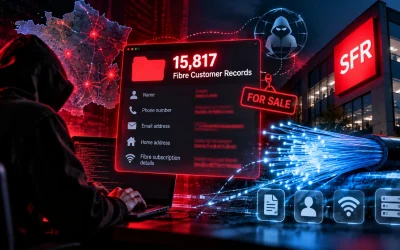
However, the great majority of goods on dark web marketplaces are criminal or prohibited. These include credit card information, online bank account credentials, stolen data, and prescription and recreational substances. Firearms, counterfeit money, poisonous substances, pornographic material, hacked databases, phony passports, driver’s license numbers, Netflix accounts, personal identifying information (PII), and many more are examples of illicit goods. Most of it arrives through mass breaches — the T-Mobile hack alone exposed roughly 76 million customers. If you want to know whether your own records are already circulating, our reviews of Aura and Norton cover what those monitoring services actually detect.
Additionally, you may purchase video, software, malware, and malware-as-a-service (MaaS) items, including ransomware, hacking, social engineering, cracking instructions, pirated software, and other tools for phishing emails and cryptojacking. The newest category is criminal AI tooling: FraudGPT, WormGPT and the wider dark web LLM ecosystem.
Use Of The Dark Web
On the dark web, one can purchase anything at the appropriate price. Additionally, companies involved in human trafficking operate on the dark web. However, there are a lot of things on the dark web that you may briefly consider harmful.
| Legal Use | Illegal Use |
|---|---|
| Journalism: Reporters use Tor for secure communication with sources | Sale of firearms and weapons |
| Whistleblowing: For anonymous tips and anonymity | Fake “hitman” services (consistently found to be scams) |
| Censorship bypass | Sale of deadly poison |
| Privacy research | Sale of fake IDs and certificates |
| Secured communications | Installation of Malware and viruses |
| Activism | Sale of ransomware tools |
| Purchase legal goods secretly | Scams and frauds |
| Terrorism | |
| Illegal pornography | |
| Hacking services and groups | |
| Abusive and harmful contents |
Conclusion
Accessing the dark web is practically unsafe. However, it is not entirely dangerous because Whistleblowers, journalists, human rights activists, and users in repressive regimes still use it to transmit critical information without fear of retaliation. With the correct tools, accessing the dark web is simple. We advise using the official Tor Browser, and adding a secure VPN like NordVPN only if you understand the trade-offs the Tor Project flags.
Frequently Asked Questions (FAQs)
Is it legal to access the dark web?
Yes, accessing the dark web is practically legal. After all, some websites on the dark web are like those on the open internet, except that they are hidden behind an encryption to limit access. However, there are countries where the Tor network is restricted for users to use. Belarus, China, Hong Kong, Iran, Russia, North Korea and Turkmenistan all block or heavily restrict direct access to the Tor network or anonymizers. In addition, while most countries may have no laws restricting access to websites on the dark web, using the dark web for illegal activity can be a criminal offense and can incur legal sanctions.
Is the dark web dangerous?
Absolutely. The dark web is the most dangerous layer of the internet. A widely cited 2016 study classified about 57% of the live onion sites sampled as hosting illicit material, though that figure is now a decade old and estimates vary considerably by sampling method. A 2020 PNAS study estimated that on an average day around 6.7% of Tor users connect to onion services, which are disproportionately used for illicit purposes — meaning most Tor traffic goes to ordinary surface-web sites. Our dark web statistics for 2026 collects the rest of the numbers worth knowing. Though the percentage is low, it doesn’t reflect the danger the platform can cause. For most internet users, it is recommended to stay away from the dark web.
What are the dangers of the Tor network?
There are risks hidden behind the anonymity provided by the Tor network. You can never be certain of the motive of the person working behind the node in the space. While some users have good intentions, others are spies and bad actors. Cybercriminals may also steal user information and utilize it for identity theft. You could fall prey to malware or a hacking assault if your gadget is unsecured.
Which browser can I use for dark web surfing?
For many activities within the dark web, Tor is the go-to dark web browser for many users. This is because it offers strong anonymity and safe access to .onion sites with minimal set-up, and it supports Windows, macOS, Linux and Android; on iOS there is no official Tor Browser. However, there are other options, these include I2P, Onion Browser, Hyphanet (the project formerly called Freenet, renamed in 2023), Tails, Whonix and the Brave browser.
What is the dark web good for?
The dark web is a layer of the internet that can be used for both legal and illegal activities. It is the perfect space for anonymity and secure communication.
Is it safe to use the Tor browser?
Tor Browser is safe for most users, but it isn’t a guarantee of anonymity. A malicious exit node can observe unencrypted traffic to ordinary websites, so stick to HTTPS — note that .onion traffic never passes through an exit node at all. The larger real-world risk is user error: enabling JavaScript, opening downloads, or reusing identifying details.
How do I download the Tor browser?
Visit the Tor Project’s website at torproject.org to download and install the Tor browser on your device in order to access it.